
Expense Manager4.0.3 - Google Play
You'll be able to see results in few seconds.
Publisher Description
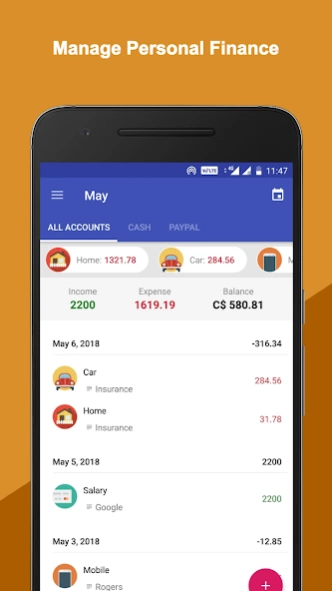
Fynse will help you understand your finance and gain control over it.
Fynse - Money Manager is the place to track all your incomes and expenses. This will help you understand your finance, gain control over it, save smartly and plan to realize the dreams close to your heart! Fynse personal finance manager enables to take better control of your finance.
-- Standard Features --
- Connect and Sync multiple device
- Widget: To add expense quickly and directly from home screen
- Daily reminder and income and expense transactions
- Track expenses and incomes
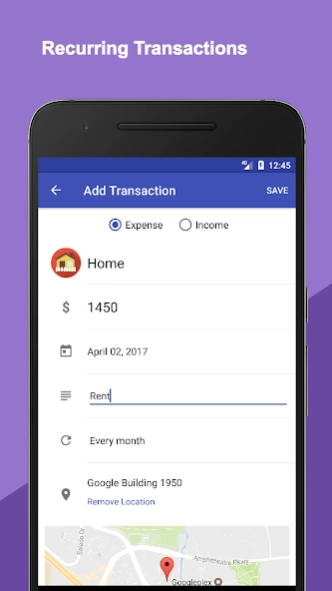
- Set up recurring transactions
- Multiple currencies
- Create budgets for specific categories
- One-time budget, daily budget, weekly budget, monthly budget, yearly budget
- Sync to cloud in real-time
Never Lose Track of Your Money - Fynse makes it very easy to track your incomes and expenses. Enter the amount, select category and click save! You can enter incomes and expenses only once and set repeat as often as you want. We have and will come up with many more easy ways to add incomes and expenses, just for you.
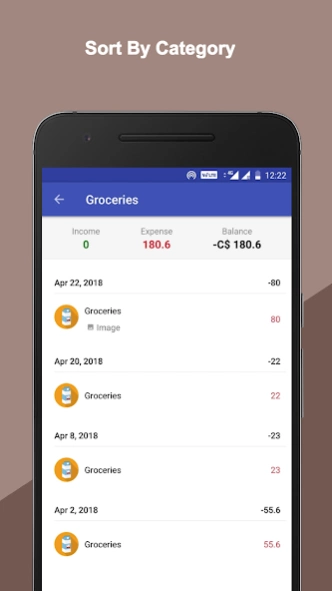
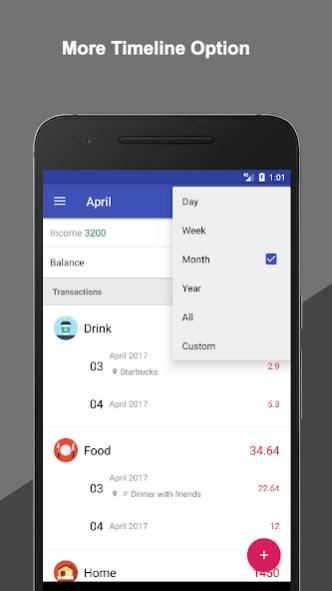
Incomes and Expenses in Graph View - Your incomes and expenses are presented in the form of different graphs and pie charts, to make it easy for you to understand. Also, you can sort your entries either by date or by tags.
Monthly Budgets - Setting budgets will help you save your money by planning your expenses. You can set budget for your expenses and control before it’s too late.
Secure and Private - Your data and personal information are encrypted and safe. You have an option to delete all your data completely from the database. Fynse never discloses your data and personal information to anyone!
Fynse Expense Manager track your money and save money with Fynse. Fynse can be used as Expense Manager.
About Expense Manager
The company that develops Expense Manager is Fynse. The latest version released by its developer is 4.0.3.
To install Expense Manager on your Android device, just click the green Continue To App button above to start the installation process. The app is listed on our website since 2018-05-08 and was downloaded 0 times. We have already checked if the download link is safe, however for your own protection we recommend that you scan the downloaded app with your antivirus. Your antivirus may detect the Expense Manager as malware as malware if the download link to com.XpenseLite is broken.
How to install Expense Manager on your Android device:
- Click on the Continue To App button on our website. This will redirect you to Google Play.
- Once the Expense Manager is shown in the Google Play listing of your Android device, you can start its download and installation. Tap on the Install button located below the search bar and to the right of the app icon.
- A pop-up window with the permissions required by Expense Manager will be shown. Click on Accept to continue the process.
- Expense Manager will be downloaded onto your device, displaying a progress. Once the download completes, the installation will start and you'll get a notification after the installation is finished.
Program Details
System requirements
Download information
Pricing
Version History
version 4.0.3
posted on 2018-05-08
Bug fixes and enhancements.
version 7.0.3
posted on 2016-07-24
All new look and enhanced functionality. All transactions are categorized and well organized. Enjoy your finance and track your money!
version 7
posted on 2011-11-08
Several fixes and updates
Disclaimer
Official Google Play Link
We do not host Expense Manager on our servers. We did not scan it for viruses, adware, spyware or other type of malware. This app is hosted by Google and passed their terms and conditions to be listed there. We recommend caution when installing it.
The Google Play link for Expense Manager is provided to you by apps112.com without any warranties, representations or guarantees of any kind, so access it at your own risk.
If you have questions regarding this particular app contact the publisher directly. For questions about the functionalities of apps112.com contact us.
